Elenchus cross-examines your text

Socratic scrutiny for arguments, anywhere you read or write: detect logical fallacies, bad-faith rhetoric, bias, and manipulation — with any LLM, under your own API key.

View on GitHub Quickstart
CLIChrome extensionMCP DiscordSlackPython 3.10+MIT

Four checks, 57 techniques

Each check is a set of individually toggleable techniques, defined in data files — adding one requires no code. Sensitivity (lenient / balanced / strict) tunes how eagerly they fire.

🧠

Fallacy check

25 techniques — ad hominem, strawman, false dilemma, bandwagon, motte-and-bailey, and friends.

🎭

Rhetoric & debate tactics

14 techniques — gish gallop, sealioning, whataboutism, loaded questions, tone policing.

🪞

Bias & framing

10 techniques — spin, euphemism, weasel words, false balance, cherry-picked framing.

🎣

Scam & manipulation

8 techniques — fake urgency, authority impersonation, advance-fee patterns, guilt hooks.
Quickstart

Core install is dependency-light; providers are extras. A stub mode works with no API key at all.

# try it with zero setup (canned output, no key)
pip install elenchus
LLM_PROVIDER=stub elenchus analyze "Everyone knows this is true."

# point it at a real model
pip install "elenchus[anthropic]"        # or [openai] — also covers Google
export ANTHROPIC_API_KEY=sk-ant-...
elenchus analyze "My opponent is a liar, so his plan fails." --check all

# configure visually, or serve the browser extension
elenchus web            # visual config builder → elenchus.yaml
elenchus serve          # localhost API for the Chrome extension

In your browser

A personal Chrome extension (chrome-extension/, load unpacked) turns Elenchus into a reading and writing companion. Everything stays on your machine — the extension talks only to elenchus serve on localhost, which refuses requests from web-page origins.

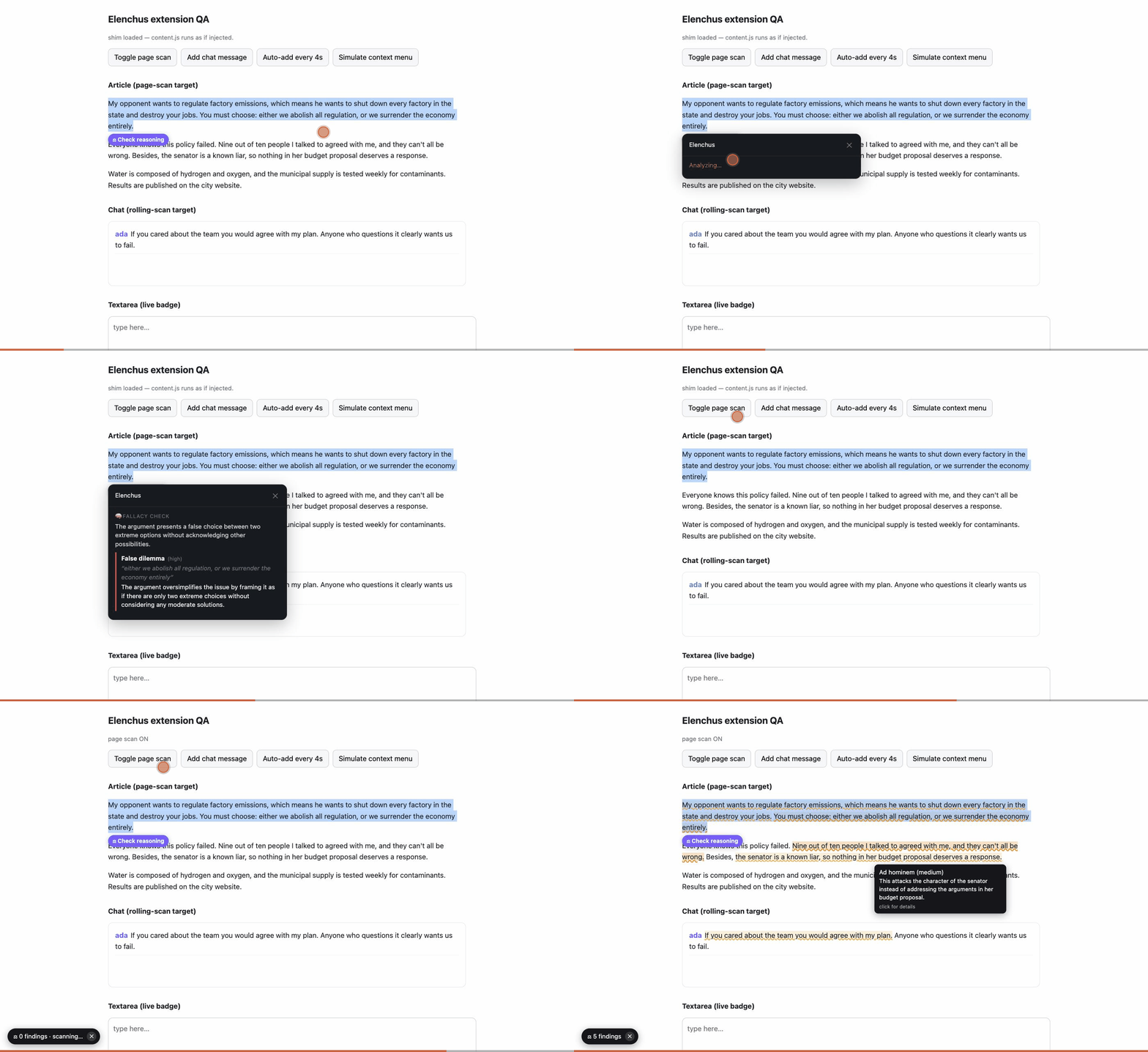
Animated demo: selecting a paragraph shows a results panel; toggling page scan underlines fallacious sentences; hovering shows an explanation tooltip
30-second tour — select-and-check, then page scan with live underlines and hover explanations.
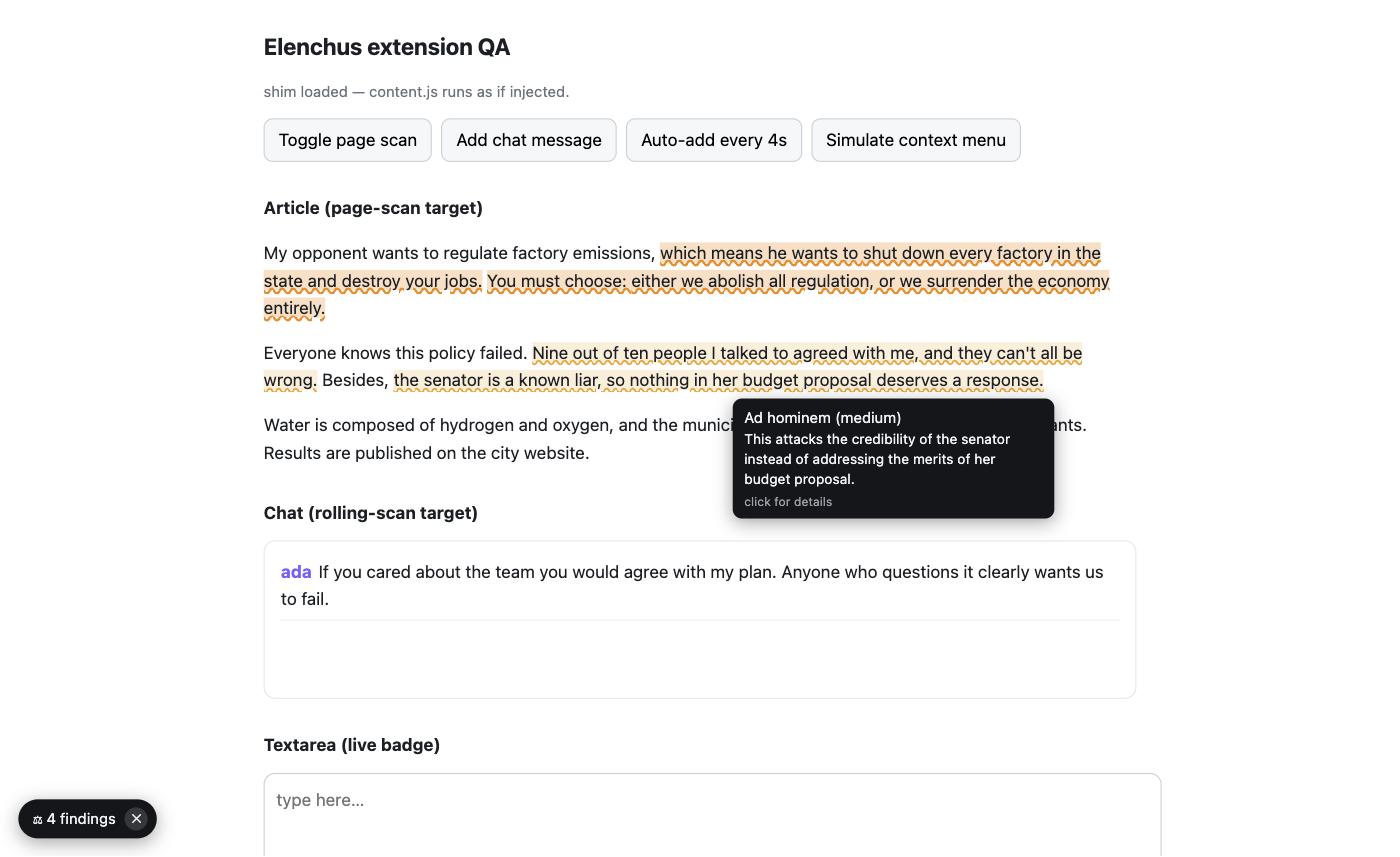
Page scan mode: amber underlines on fallacious sentences in an article, with a tooltip explaining an ad hominem
Page scan — toggle it on a page and Elenchus underlines flawed reasoning in what you're reading, and keeps watching as new content arrives (chat apps, live threads). Hover for the why; click for details; the pill lists every finding.
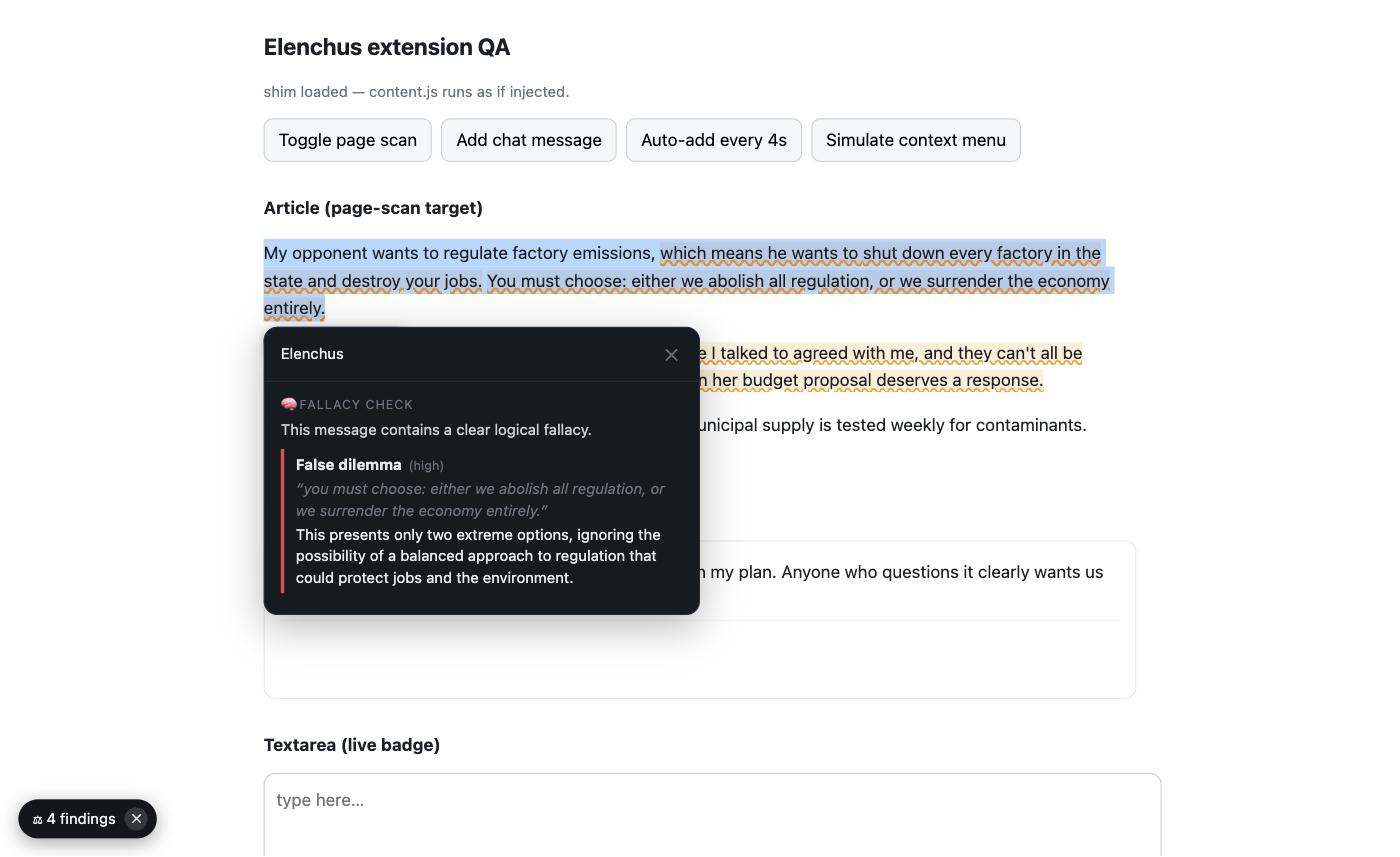
Selection check: a highlighted paragraph with a results panel identifying a false dilemma
Selection check — highlight any text, hit the ⚖ chip (or right-click), and get the verdict with quotes and plain-language explanations.
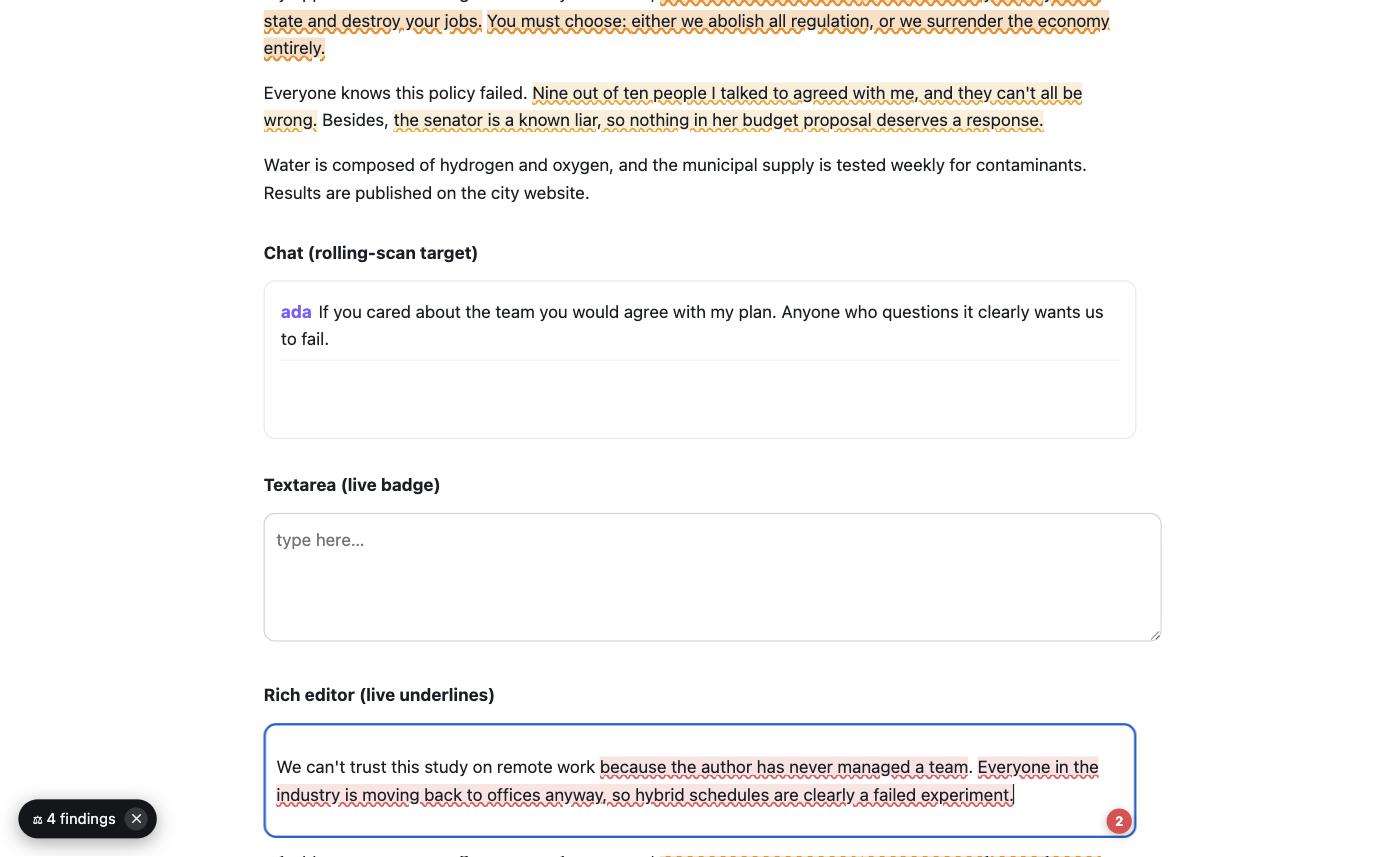
Live writing mode: red wavy underlines under weak arguments in a rich-text editor with a findings count badge
As you write — Grammarly-style: pause typing and your draft gets re-examined; weak reasoning is underlined in place with a count badge on the field.

Every surface, one engine

One resolved config (file, env, or the visual builder) drives every frontend.